khanarman81191@gmail.com

Home | Services | Product | About UsWEBSITE LAUNCH ECOMMERCE Check out our brand-new website:

What Is an Ecommerce Website?

What Ecommerce Website? An ecommerce website is an online store where a business can sell its products or services on the internet. Customers can visit the website from their mobile or laptop, browse products, add them to cart, make the payment and get the order delivered to their home. The biggest benefit of an ecommerce website is that your shop is open 24/7. If your site is well‑designed, has quality products and a secure payment system, you can reach customers not only in your city but across the country and even worldwide. What Can You Sell with Ecommerce? With an ecommerce website you can sell almost anything, for example. You can manage stock yourself or use suppliers and dropshipping. As your orders grow, your profit also increases, and ecommerce becomes a regular source of income. How to Start an Ecommerce Website. If you already have a normal website or blog, you can convert it into an online store. On WordPress you can install an ecommerce plugin like WooCommerce and then. You can start with a small category, like only T‑shirts or only cosmetics, and then keep adding more products after you gain experience. Important Pages for an Ecommerce Website. 1. Home page The home page is the main entry of your online shop. It should. The design should be clean so that a new visitor can easily understand what you sell and where to click next. 2. Shop / Products Page The shop page lists all your products. It should include. A clear shop page improves user experience and increases the chance of getting more orders. 3. Product Detail Page Every product needs its own detail page. This page must show. The clearer information you give, the more trust you build and the fewer returns you get. 4. Cart and Checkout Page On the cart page the customer can see all selected products with quantity, price and total amount. They should be able to change quantity, remove products and apply a coupon code. On the checkout page the customer fills in. Try to keep the checkout simple, with no more than 2–3 steps, so the customer can complete the order quickly. 5. Secure Payment and Shipping Information Your ecommerce website should support secure and trusted payment options such as. Create a small section or page that clearly explains. This information reduces customer confusion and complaints. 6. Contact Page The contact page helps build trust. It should include. You can also add links to your Instagram shop, Facebook page or other social media profiles. 7. About Page On the About page you share your story, for example. A good About page makes customers feel that there is a real person or team behind the brand. 8. Return / Refund Policy Page For any ecommerce store, a clear return and refund policy is very important. On this page you should mention. When customers understand the policy, they buy with more confidence.\ 9. Privacy Policy, Terms and Other Legal Pages You should also create pages like. These pages explain how you use customer data, what rules apply on your website and what responsibilities you take. They make the site look professional and are useful for approvals like payment gateways and ads. 10. Product Photos, Title and Description For every product you add to your ecommerce website, three things must always be clear. Good photos, titles and descriptions not only help the buyer but also improve your SEO and search ranking inside your own website. 11. Design and User Experience The design of your ecommerce website should be simple and mobile‑friendly. A good user experience makes visitors feel comfortable, so they stay longer and are more likely to buy. 12. Secure Payment, Shipping and Customer Support Customers only buy again if they feel safe and supported. When people see that your website has proper payment, shipping and support information, they trust your brand and your ecommerce business grows faster. Ecommerce Website… Note- If you do not understand anything, then please contact me once through the contact us page or by commenting to me. visit my you tube channel

What Is an Ecommerce Website? Read More »
AD

Google Ads

What Is Google Ads? Google Ads is the world’s largest online advertising platform where you can promote your website, products, or services and reach millions of people. Google shows your ads on your website’s pages and on its own networks so that your ads can reach many interested people. With Google Ads, you can easily sell your products or services because you can target the right audience. If you have different types of products, you can run different ads and campaigns for each category. To run ads, you need a clear message and some basic details like budget, location, and who you want to show your ads to. Google Ads helps to grow your business because it can quickly bring customers from your local area as well as from other places to your website. How Google Ads works… You can run Google Ads in the way that suits your business and your target customers. You decide what kind of people should see your ad, and Google will show your ads according to those settings. You can choose to show your ads only to women or only to men if you want. You can also decide which city, area, or country should see your ads and select the age group you want to target. You can set your own budget and daily spend for your ads. In short, you decide what you want to promote, who should see it, and how much you want to pay, and then you can easily run Google Ads for your business. What are the benefits of Google Ads? you are learning digital marketing or building your own e‑commerce website, learning Google Ads is extremely important because it helps you reach people who are already searching for products or services like yours on Google. Instead of waiting months for SEO or relying only on social media, Google Ads can quickly bring targeted traffic, leads, and sales while keeping your budget under control. What is Google Ads PPC model? Google Ads works on a Pay‑Per‑Click (PPC) model, which means you pay only when someone actually clicks on your ad, not just for impressions. Whenever a user searches for a keyword related to your business, Google runs an instant auction between advertisers and decides whose ads should appear based on bids, ad quality, and relevance. How does the auction help your website? If your bids and quality score are good, Google can show your ad at the top of the search results page, even above organic listings. This gives your website high visibility and can drive very targeted visitors who are more likely to convert into customers. Budget and cost control You can set a daily or monthly budget according to your capacity, for example starting from a few rupees per click and scaling up as you see results. Google never spends more than the limit you define, so you stay fully in control of how much you invest in advertising. Why every marketer should learn it Because Google Ads is measurable, scalable, and fast, almost every serious digital marketing strategy includes it, and many companies hire people who know how to manage PPC campaigns effectively. Whatever type of ad you run—search, display, shopping, or video—Google will show that ad on its network or in search results according to your chosen settings. How to create your first ad To create your first ad, open your mobile or laptop and go to the Google Ads website. Click on the “Start now” button and sign in with your Google account to begin setting up your business in Google Ads. Google will ask you what kind of business you have and what website you want to promote. After you click “Next”, you choose your website type and follow the step‑by‑step process that Google shows on the screen. At the end, you will be asked to enter your billing details so that Google can charge you for the ads you run. When this setup is complete, your ads can start running. Business details required Next steps after business details Once you’ve filled in your business name, website URL, location, and billing currency, you can finish setting up your Google Ads account and move on to creating your first campaign. Your business information helps Google display your ads correctly and charge you in the right currency for each click or impression. In the next step, choose your main campaign goal, such as getting more website visits, leads, or sales. Then set your daily budget, create your ad, select your target audience and keywords, and publish your campaign so your ads can start running on Google Search and partner websites. Note – If there is anything you do not understand clearly, you can contact me through the “Contact Us” page on my website and I will reply to you as soon as possible. You can also send me a direct message on Instagram and I will be happy to help you there as well.

Google Ads Read More »

Google AdSense (search bar ke andar)Google AdSense Google AdSense Google AdSenseGoogle AdS

Google AdSense

What Google AdSense? Google AdSense is a very good thing because it lets you earn money from the website you have created. When people visit your website, Google shows ads on it, and from those ads you can earn income. In this way Google displays ads on your website and gives you money for the traffic coming to your site. What is needed for Google AdSense? 1. Domain name For Google AdSense you must have your own domain name. Try to choose a unique and professional name because such domains get better value and more trust. 2. Hosting You also need hosting for your website, because without hosting your website cannot run properly on the internet. 3. Important pages on the website 4. You should have 25–30 articles on your website. These articles must be clean, well‑written, and SEO‑optimized, with a Rank Math score above 81, so that your chances of AdSense approval become very high. 5. You should have 25–30 articles on your website. These articles must be clean, well‑written, and SEO‑optimized, with a Rank Math score above 81, so that your chances of AdSense approval become very high. 6. Each article should be around 1,000–1,500 words, because this length is usually helpful for Google AdSense and SEO. 7. The article must be written by you and should not be copied from anywhere else; otherwise, you may not get AdSense approval. 8. You can take help from AI tools to write, but you should always add your own thoughts and rewrite in your own style so the content is original and valuable. When you write good, unique articles like this, your chances of getting AdSense approval will increase a lot, and you will not face problems later. When all these steps are completed, you can apply for Google AdSense. What are the benefits of Google AdSense? What are the drawbacks of Google AdSense? Step‑by‑Step Process to Add Google AdSense to Your Website To start earning from your website with Google AdSense, you first need to create and prepare your site properly. Once your website is ready with good content and all the important pages, you can move to the AdSense setup process. Open your website on your laptop or mobile so that you have your site URL and access to the backend where you will paste the AdSense code later. Now go to the Google AdSense website and click on the Sign up or Get started button. You must log in with your Google account and then enter basic details like your website URL, country and contact information. After that, AdSense will ask you to add your site. You have to type your full website address and confirm that you own the site. When you continue, Google generates a special AdSense code snippet for your site. This is a short piece of HTML or JavaScript code that connects your website with your AdSense account. Copy this entire code and go to your website’s backend. If you use WordPress, you can paste this code into the header section using a plugin like Site Kit or any header–footer code plugin, so that the code loads on all pages of your site. The important point is that the code must be placed between the head tags of your pages. After pasting the code, go back to your AdSense account and tick the option that you have added the code, then click on the Verify or Request review button. From this point, Google starts reviewing your site. The review can take a few days or even up to two to four weeks, depending on the queue and your site quality. When the review is finished, you receive an email from Google telling you whether your site has been approved or rejected for AdSense, along with the reason if it is not approved. How does Google AdSense pay? What happens after you apply? If you do not understand anything, you can send me a message.You can go to the Contact Us page or write a comment,and I will try to answer all your questions.

Google AdSense Read More »

website / blog

What is a website / blog? 2026

website / blog What can you do with a website? How to create a website? First of all, you have to choose a good domain name.Then you have to buy hosting and connect your domain with the hosting.After that, install WordPress and create at least 5 pages. You should also create your own logo.You can easily design your logo in Canva and upload it to your website. Important pages / design Home page Choose a clean and good‑looking theme. From the WordPress “Home pages” or “New page” option, you can create all your pages. About Us page The About Us page is very important because here you clearly tell visitors what your website is about, why you started it, who you are, what work you do and how you want to help people through your content or services; you can also add your photo so visitors feel they are connecting with a real person, which builds trust and makes your site look genuine to Google. Disclaimer page A disclaimer is a legal notice on your website that explains that the information you share is only for knowledge or educational purposes and should not be taken as professional advice, and if someone follows your tips and something goes wrong then the risk and responsibility are theirs, not yours, which helps protect you from many legal problems, especially on websites that share SEO, affiliate marketing or money‑related guidance. Blog page You can create a blog page where you write and publish new articles every day and share useful information with your readers. Creating a new post Using Rank Math SEO Image and description Every article should have at least one image, and you should also write a short description or alt text for that image so that Google and readers both understand what the picture is about and your image SEO becomes stronger. 1. How long should an article be? 2. What is a Privacy Policy page? 3. Why Privacy Policy and Disclaimer are important What is Rank Math SEO? How does Rank Math help? website / blog? My experience website / blog? In this article I have tried to explain all the pages and articles in a simple way, exactly as I have learned and used them on my own website. The tool that helped me the most is Rank Math SEO, because it clearly guides me step by step while writing every article and tells me what is right and what still needs improvement. Right now I am still working on my site, so my website is not fully complete yet. In this article I have not explained domain and hosting in detail, because I am preparing a separate article only on that topic; I have already started writing it in a different notebook. If you want, you can check my other articles as well, you will definitely get some useful knowledge there. If you have any questions about domain, hosting, or anything related to this article, please comment below or contact me through the Contact page. I will try my best to help you as much as I can. Thank you very much for reading; I hope this article was helpful for you. visit my Instagram id

What is a website / blog? 2026 Read More »

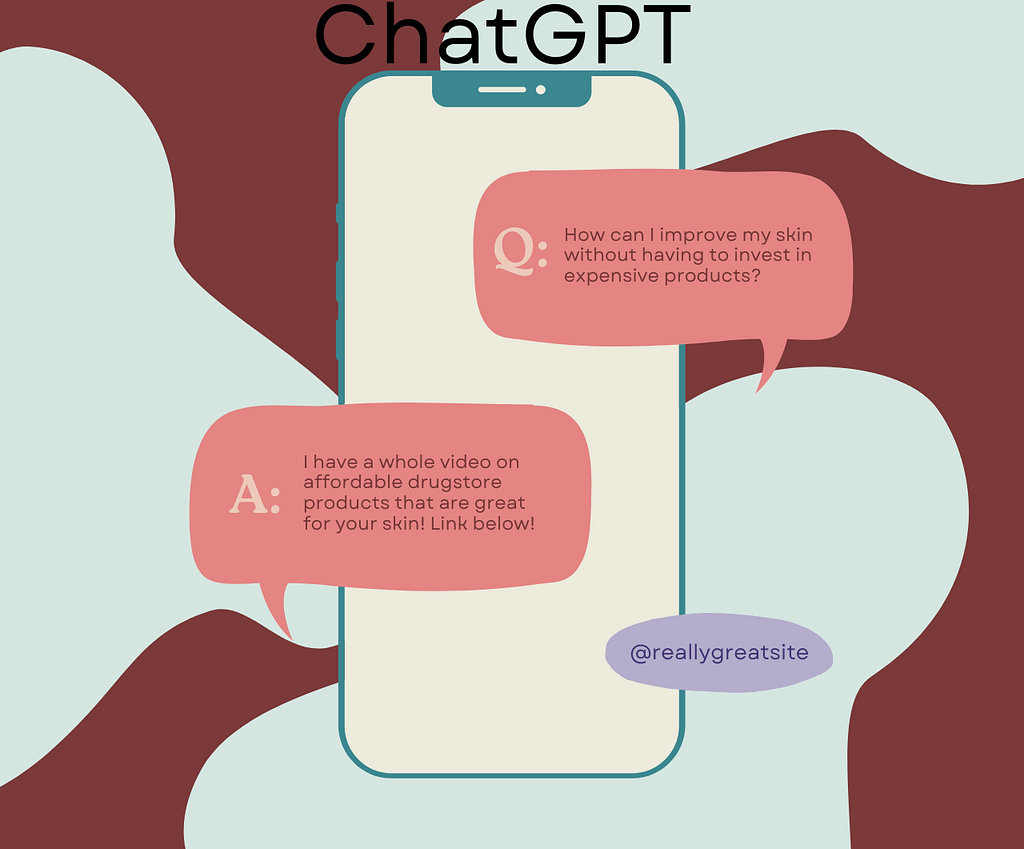
Q: How can I improve my skin without having to invest in expensive products?A: I have a whole video on affordable drugstore products that are great for your skin! Link below!

ChatGPT for Beginners

What is ChatGPT? ChatGPT is an AI tool that was launched in 2022 and created by OpenAI. It helps you in almost every type of work and stays with you like a smart digital assistant. It is based on the GPT‑3 language model, which has been trained on very large amounts of data so that it can understand your questions and respond correctly. Today, at this time, people all over the world are using ChatGPT so that if they have any kind of problem or difficulty, they can ask ChatGPT and make their work easier. Main features of ChatGPT ChatGPT answers the questions that come on mobile or laptop and helps users in their work. It improves your work and can-do tasks like writing content or story, so for your website this can become a very useful tool. How to use a chatbot What are the uses of chatbot… Problems of chatbot… My experience of using chatbot… How She Uses ChatGPT and Perplexity… With ChatGPT she gets these benefits: Blog aur article ke ideas… How beginners can use ChatGPT Practice writing: Ask ChatGPT to write small paragraphs, product descriptions, or social media captions, then edit them in your own style to improve your English and content skills. Idea generation: Use it to get topic ideas for blogs, YouTube videos, Instagram posts, and scripts when you are confused about what to create next. SEO support: Ask for keyword ideas, meta descriptions, title suggestions, and content outlines to make your blog posts more SEO‑friendly. Importance and Uses of ChatGPT Conclusion ChatGPT is a powerful AI assistant that can support beginners in many areas of their digital journey, from blogging to learning new skills. It can help you research topics, generate outlines, write drafts, and even improve your grammar and sentence structure, so your content looks more professional while saving you time and effort. You can also use ChatGPT to brainstorm new ideas for blog posts, videos, or social media content, ask questions when you are stuck, and get simple explanations of difficult concepts, which makes it a helpful companion for students, bloggers, and anyone who wants to grow online. Note – If you do not understand anything then contact me and reply to the message of that order. If you do not understand me then please comment further. Click ChatGPT

ChatGPT for Beginners Read More »

Canva

Canva AI

What is Canva AI What work Canva AI can do Canva AI paid Difference between free and paid… Free version In the free plan you do not get very high‑quality graphics and you get only limited elements and templates. Many premium images and advanced video editing options are locked, so you cannot edit videos with all the professional features. Paid version In the paid version you get many more and better graphics and a larger collection of good templates. With this you can edit videos in a better way and complete your design work without many limits. Canva: free or paid? Benefits of Canva What are the disadvantages of Canva? Personally, it does not feel like Canva has any very big disadvantages, because it actually makes designing easier. Still, Canva does have a few minor drawbacks, like many designs looking similar, depending completely on the internet and some features being available only in the paid version. How to earn money with Canva . Ways to learn Canva Mobile vs laptop and tablet for Canva… Using Canva on a mobile or tablet with the app makes it very quick to create stories or reel covers and to do small video edits. On a laptop, it becomes easier to design bigger posters, presentations or long projects in more detail. Which Device Is Best for Canva? If you mainly create quick social media posts, Stories or Reel covers, using Canva on a mobile phone or tablet is very convenient because you can design and publish directly from the app while traveling or working on the go. But for bigger designs like long presentations, YouTube thumbnails in bulk, client posters or detailed website graphics, a laptop gives you more screen space, better control and easier file management. Ideally, you can plan and create heavy projects on your laptop, and then use your mobile just to make small edits or export designs when you are away from your desk, so both devices work together instead of choosing only one. Tips to Get Better at Canva Faster… If you want to earn money with Canva, focus first on practising one or two design types, like social media posts or thumbnails, instead of trying everything at once. This helps you build a clean portfolio that you can show to clients on Instagram, Fiverr or your own website. Later, when you feel confident, you can slowly add services like logo design, YouTube channel art or printable templates and increase your prices step by step. visit my contact us page

Canva AI Read More »

B2B vs B2C Marketing

B2B vs B2C Marketing 2026

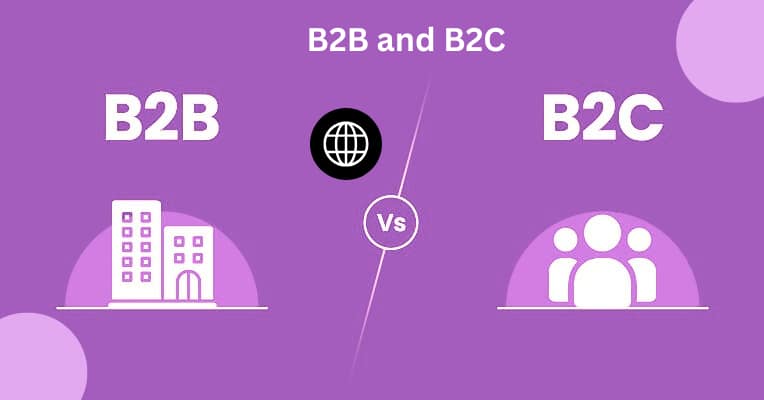
What is B2B vs B2C Marketing? In today’s digital world, there are two very important marketing models: B2B (Business to Business) and B2C (Business to Consumer). Both models have the same basic goal, which is to sell products or services, but their audience, decision‑making process, and overall marketing style are very different… B2B (Business to Business)… B2C (Business to Consumer) Difference in audience… Decision‑making process. Marketing channels differences… Simple conclusion for students… If you are studying marketing, you can remember B2B and B2C in a simple way. How do companies actually work? What are the benefits of B2B? What are the benefits of B2C? Why Understanding B2B and B2C Matters… This simple comparison is especially useful if you are a beginner in digital marketing and want to choose the right strategy for your own business or clients. When you clearly understand how B2B focuses on relationships and high‑value deals, and how B2C focuses on emotions and mass reach, it becomes easier to design your campaigns, content and offers in the right way. If you still have any doubt about whether your idea is more B2B or B2C, you can write your questions in the comments or contact me through the Contact Us page, and I’ll try to guide you with a suitable example. How This B2B vs B2C Guide Helps You… Understanding the difference between B2B and B2C is not just a theory topic; it directly affects how you design your marketing strategy, choose platforms and talk to your audience. In B2B, you usually deal with decision‑makers who think about ROI, long‑term results, risk and support, so they need detailed information, case studies and a clear explanation of how your product will improve their business. In B2C, customers are normal people who make faster decisions based on emotions, lifestyle and personal needs, so your messaging has to be simple, benefit‑focused and visually attractive. When you know which group you are targeting, it becomes much easier to write the right headlines, choose content formats like blogs, emails, reels or ads, and decide whether LinkedIn, Instagram or another platform will work best for you. Final Note; Understanding the difference between B2B and B2C marketing will help you see how companies sell their products and services. Remember, businesses talk to other businesses differently than they talk to individual people. visit my contact us page

B2B vs B2C Marketing 2026 Read More »

Affiliate Marketing in India

What is Affiliate Marketing? Affiliate marketing is the process by which someone promotes a company’s products or services online and earns a commission for each sale, lead, or click. An affiliate marketer is someone who joins a brand’s affiliate program and promotes it using a special link or code provided by it, and earns a commission when a customer makes a purchase using that link. In simple words, in affiliate marketing you do not have to create your own product, you just have to recommend the products of other companies and on every successful order you get money in the form of some percentage or fixed amount. 1. What are the benefits of affiliate marketing? 2. How to get started with affiliate marketing? Best affiliate programs in India: 1. Amazon Associates: 2. Flipkart Affiliate: 3. Pinterest Affiliate: Basic steps to start affiliate marketing: About Affiliate links: My experience. I’ve worked at Amazon and have made a good profit there. In my opinion, if you’re starting affiliate marketing, work on Amazon first, as it can easily earn up to 1,000 rupees, and you can withdraw the money to your bank account as soon as you reach 1,000 rupees. Flipkart is also good, but the payout is higher for new people, money is withdrawn only after completing around Rs 2500, hence Amazon seems to be the best option for beginners. Therefore, in my opinion, Amazon is the best place to start; you can also try Flipkart later. My job was to share my experience, and I have. Now, you can create accounts on both as per your convenience. I have shared my affiliate links on most of the social media platforms like Facebook, my website, Instagram, YouTube and Pinterest app. You too can start working on these platforms and gradually move forward and improve your online income and life. Tell me in the comments whether you’re starting affiliate marketing with Amazon or Flipkart, and which program you like best. Don’t forget to comment, OK? Choosing the Right Affiliate Program When you start with affiliate marketing, the biggest confusion is usually which program to choose: Amazon Associates, Flipkart Affiliate or Pinterest Affiliate. Each platform has its own system, commission structure and traffic method, so instead of copying others you should decide according to your niche, audience and content style. Amazon Associates is a strong option for beginners because it offers a huge variety of products, people already trust Amazon, and you can get your first payout once you reach around 1,000 rupees. This means that if you consistently create content and send some targeted traffic from YouTube or Instagram, you can see your first commission relatively quickly and get the confidence that the system works. Flipkart Affiliate can be attractive because some categories offer better commissions than Amazon, but the payout threshold is higher for new users, so it may take longer to see the first payment, which can sometimes feel demotivating. visit My contact us

Affiliate Marketing in India Read More »

hosting

Domain and Hosting2026

What is domain and hosting? Domain is a name which is very important in a website. It is known from the domain that what kind of website it is and from the demon we come to know what the website is about, for example, my website is digitalmarketingbissau.com The daemon is divided into two parts. These two together form a complete domain, like digitalmarketingbissau.com which is unique and no two websites can have the same domain. Why is a Domain Important? A good domain makes your brand look professional and easy to remember for users.? It also helps in branding, SEO, and building trust, because people feel safer clicking on a clear, simple name instead of a long IP address or strange URL… My Domain Name Experience What is hosting? Web hosting is a service where all the files of your website (text, images, videos, WordPress files) work like a single file which is stored on a special computer ie. server on the internet, so that people from all over the world can open your site from the internet. When someone types your domain name in the browser, the server of the hosting company sends the files of your website to them and the page opens on their mobile/PC. You can also bring your file on the internet by connecting it with the domain, there are different prices for purchasing it, choose the one that suits you. My Hosting Experience. You can also get your own domain name and move ahead by connecting it to your WordPress by taking a good hosting and there is no need of coding in it, but take the domain name as per your business and take good hosting, brother you can make a complete website and submit it to Google for Google ads as well, by creating 25 to 30 contents of your website, by creating 5 pages and you can see your business growing on its own, stay connected with me, I will tell you everything step by step, 5 page home about primary policy block content, by creating these five pages you can submit your website to Google and if you have any question in your mind then contact us Benefits of creating a website. 24/7 online presence. How I Can Help You Start visit my content page

Domain and Hosting2026 Read More »

Creative Canvas

Online Advertising on Instagram 2026

My First Experience with Online Advertising on Instagram… Online AdvertisingI am a beginner in digital marketing and recently I ran my first Instagram ad. For me, online advertising simply means using the internet and social media platforms to promote my content and services through paid ads. The biggest benefit is that I can reach a specific audience, track their response in real time and start experimenting even with a small budget.. What Online Advertising Means to Me… In simple words, online advertising is the promotion of a brand, product or service on websites and other digital platforms.These ads can appear on search engines, social media, apps, emails and videos where people spend their time every day. Compared to traditional advertising, online ads give more precise targeting, better measurement and a clear view of how every rupee is performing. Why I Chose Instagram Ads… Since I am already active on social media, Instagram felt like the right place for my first experiment. It is a visual platform where people love to watch photos, short videos and reels, so creative content can perform very well. Instagram ads also run on Meta’s ad system, which gives access to Facebook’s strong targeting and analytics tools.For me this was the perfect combination of engaging visuals, accurate targeting and clear reporting… Budget Planning With a ₹90 Account Spending Limit… As a beginner, my biggest concern was budget control. I did not want to overspend, so I set an account spending limit of ₹90 in my Meta ad account, as shown in my screenshot. This limit works like a cap on the total amount that can be spent from the account. Once the account reaches this limit, all active ads automatically stop running, which protects me from spending more than I planned. This feature gave me the confidence to test ads without fear. I knew that no matter how many campaigns were active, the total advertising cost would never go beyond ₹90. For anyone starting out with a small or fixed budget, this kind of control is extremely helpful. My Ad Objective: Getting Profile Visits… The main objective of this campaign was not direct sales but awareness and profile growth. I promoted one of my Instagram posts and selected “Profile visits” as the goal so that more people would visit my profile, see my work and maybe become followers or future clients. In online advertising, choosing a clear objective is very important because Instagram delivers and optimizes your ad differently depending on that goal. Reading My Results: Views and Reach… After the ad finished, I opened Instagram Insights to see the performance. In the “Ad overview” section, I first saw the number of views, which was 1,075. Views show how many times my video ad was played or appeared on users’ screens. Seeing more than a thousand views from just ₹90 made me feel that my content had actually reached a good number of people. Below that I saw the reach, which was around 1,090 accounts. Reach tells me how many unique people saw my ad at least once, even if they did not interact with it. In digital marketing, both views and reach are important: views show how often the ad circulated and reach shows how many different people received my message. Campaign Details: Impressions and Cost… In the payment details section I could see all my campaigns with their impressions and costs. One campaign had 1,123 impressions, another 1,601, and another 2,769 impressions, each with different amounts spent like ₹2.83, ₹36.41, ₹24.97 and ₹25.79. Impressions show how many times my ad was displayed on screens, even if the same user saw it multiple times. From these numbers I can estimate the cost per 1,000 impressions (CPM) and see which campaign gave me more exposure for less money. When a creative generates many impressions at a relatively low cost, it tells me that the content is relevant and that the platform can easily show it to people.This kind of analysis will help me scale the best‑performing creatives and stop or improve the weaker ones in the future. What I Learned from This Online Advertising Test… This first experiment taught me several important lessons about online advertising. I learned that it is absolutely possible to start with a small budget as long as the objective is clear and every rupee is tracked. I also realized how valuable tools like account spending limits are for beginners, because they prevent accidental overspending and keep campaigns under control. Another big lesson was that an ad should not be judged only by likes. I now look at views, reach, three‑second plays, profile visits and overall engagement before deciding whether a campaign was successful. This data‑driven way of thinking showed me that digital marketing is not just about creativity; it is also about reading the numbers and making smart decisions based on them. My Plan for Future Campaigns… For my next campaigns I want to make a few improvements. First, I will add stronger calls‑to‑action in my creatives, such as Follow for more tips or Visit my website for services, so that viewers know exactly what to do after seeing the ad. Second, I will test different audiences and interest groups to discover which segments respond best to my content.. I also plan to run A/B tests where I compare two different creatives or captions with the same budget and see which one generates better views, reach and engagement. By checking Instagram Insights regularly—looking at profile activity, accounts engaged and follower growth—I will keep adjusting my strategy and improving my results over time. This first Instagram ad has not only given me some useful numbers but also a lot of confidence. Now I can publish this experience as a case study on my website to show my real work in digital marketing and to help other beginners understand how they can start online advertising with a small budget and clear goals. In future campaigns, my main goal will be to use

Online Advertising on Instagram 2026 Read More »

Translate »